



Table of Contents
Before I publish any blog, I always go through an on-page SEO checklist to ensure every important SEO element is in place. No matter how well-researched or well-written a blog post is, missing details like keyword optimization, title tags, internal links, image SEO, or technical checks can limit its ability to rank and attract organic traffic.
Over the years, I’ve found that many ranking issues can be traced back to small details that were overlooked before publishing. That’s why I rely on a structured pre-publish process rather than making last-minute SEO decisions.
In this guide, I’ll walk you through the exact on-page SEO checklist I use before hitting publish, helping you improve your chances of ranking higher, driving more traffic, and delivering a better user experience.
Key Takeaways
- An on-page SEO checklist helps ensure important optimization opportunities aren’t overlooked before publishing.
- Matching content to search intent is just as important as targeting the right keywords.
- Clear structure, readability, and comprehensive topic coverage improve both user experience and search visibility.
- Content that provides direct answers and uses structured formatting is better positioned for AI search and featured snippets.
- Small improvements made before publishing can have a lasting impact on rankings, traffic, and engagement.
- Consistently reviewing your content before it goes live helps create a stronger foundation for long-term SEO success.
Why On-Page SEO Matters Before Hitting Publish?
Hitting Publish might feel like the final step, but in reality, it’s the last opportunity to optimize your content for success. An on-page SEO review helps ensure your blog is easy for search engines to understand, valuable to readers, and fully prepared to compete in search results.
Here are some of the biggest reasons why on-page SEO should be a non-negotiable part of your publishing process.
Helps Search Engines Understand Your Content
No matter how valuable your content is, search engines need clear signals to understand its topic, purpose, and relevance. Elements such as your title tag, headings, target keywords, internal links, and schema markup provide additional context about the topic and focus of your page.
When these on-page SEO elements are properly optimized, search engines can crawl and categorize your content more effectively. As a result, your content is more likely to appear when users search for topics related to what you’ve covered.
Improves Your Chances of Ranking Higher
Publishing a blog without optimizing it is like entering a race without checking your equipment. Your content may still compete, but it won’t be performing at its full potential. On-page SEO helps strengthen the signals that search engines use to evaluate your page, from keyword relevance and content structure to headings and metadata.
By reviewing these elements before publishing, you give your content a stronger foundation to compete for valuable search positions. While no optimization can guarantee a top ranking, ensuring every on-page SEO detail is in place can strengthen your ability to compete for valuable search visibility.
Enhances User Experience and Readability
A well-optimized blog isn’t just easier for search engines to understand; it’s also easier for readers to engage with. Clear headings, shorter paragraphs, logical content structure, and properly formatted visuals make it easier for visitors to find the information they’re looking for without feeling overwhelmed.
When readers can quickly scan and navigate your content, they’re more likely to remain engaged, consume more information, and take the desired action. This creates a better user experience while also sending positive engagement signals that can support your SEO efforts.
Increases Organic Traffic Potential
Every optimization you make before publishing can influence how much organic traffic your blog attracts over time. Reviewing elements such as target keywords, search intent, heading structure, internal links, and meta tags helps maximize your content’s visibility across relevant search queries.
A thorough on-page SEO checklist also increases your chances of appearing in search features like featured snippets, AI Overviews, and People Also Ask results. By ensuring your content is fully optimized before it goes live, you create more opportunities to attract qualified visitors from organic search.
Prevents Common SEO Mistakes Before Publishing
Small oversights can have a surprisingly large impact on performance. Missing metadata, broken links, duplicate headings, indexing issues, or unoptimized images can all limit a page’s performance. Reviewing these elements before publishing helps ensure your content launches with a strong foundation rather than requiring fixes after it’s already live.
Complete On-Page SEO Checklist Before Publishing a Blog
The difference between a blog that gets buried and one that gains visibility often comes down to the final checks made before publishing. While no checklist can guarantee rankings, it can help you identify overlooked issues before your content goes live. Below is the on-page SEO checklist I use to review every blog before it goes live.
Keyword Optimization
Keyword optimization helps define the topic and search focus of a blog post. Before publishing, I review the keywords I’m targeting, whether the content aligns with user intent, and how those keywords are used throughout the page. This helps ensure the blog is optimized for both search engines and the people searching for the topic.
Identify Your Primary and Secondary Keywords
The first step is confirming that the blog targets a clear primary keyword. This keyword should accurately reflect the main topic of the content and align with the terms your audience is actively searching for. To identify the best keyword opportunities, I typically use keyword research tools such as Semrush to evaluate search volume, keyword difficulty, and search intent.
Alongside the primary keyword, I also identify secondary keywords, long-tail variations, and related terms that support the main topic. These keywords help strengthen topical relevance, improve content coverage, and increase the chances of ranking for a broader range of relevant search queries. Before publishing, I make sure these keywords are naturally incorporated into the content without compromising readability.
Align Your Content with Search Intent
Targeting the right keyword isn’t enough if the content doesn’t satisfy the reason behind the search. Before publishing, I make sure the blog aligns with the target keyword’s search intent.
Search intent typically falls into four categories:
- Informational: Users want to learn something (e.g., “what is on-page SEO”)
- Navigational: Users already know where they want to go and use search to find it (e.g., “Semrush blog”)
- Commercial: Users are researching options before making a decision (e.g., “best SEO tools”)
- Transactional: Users are looking to complete an action or make a purchase (e.g., “buy iPhone”)
Understanding intent helps ensure the content delivers the information users expect to find, which can improve engagement and search performance.
Review Keyword Placement
Once the right keywords have been selected, I review where they appear throughout the page. Strategic placement helps search engines understand the topic without making the content feel repetitive or over-optimized.
Before publishing, I check that the primary keyword appears naturally in key areas such as:
- SEO title tag
- URL slug
- H1 heading
- Introduction
- Relevant H2 and H3 headings
- Meta description
- Body content
The goal is to reinforce the topic while maintaining a natural reading experience. If keywords feel forced, they usually need to be revised rather than added more frequently.
Title Tag and Meta Description
View your title tag and meta description as the preview for your page in search results. Before a user reads a single word of your content, these elements influence whether they click on your page or scroll past it. That’s why I never publish a blog without reviewing it carefully.
Optimize the SEO Title
The title tag should clearly communicate what the page is about while encouraging users to click. Before publishing, I make sure the title includes the primary keyword, aligns with search intent, and accurately reflects the content. I also review its length to ensure it displays properly in search results. While there’s no strict character limit, keeping the title between 50–60 characters can help prevent truncation on most devices.
For example, if my target keyword is “on-page SEO,” I could use:
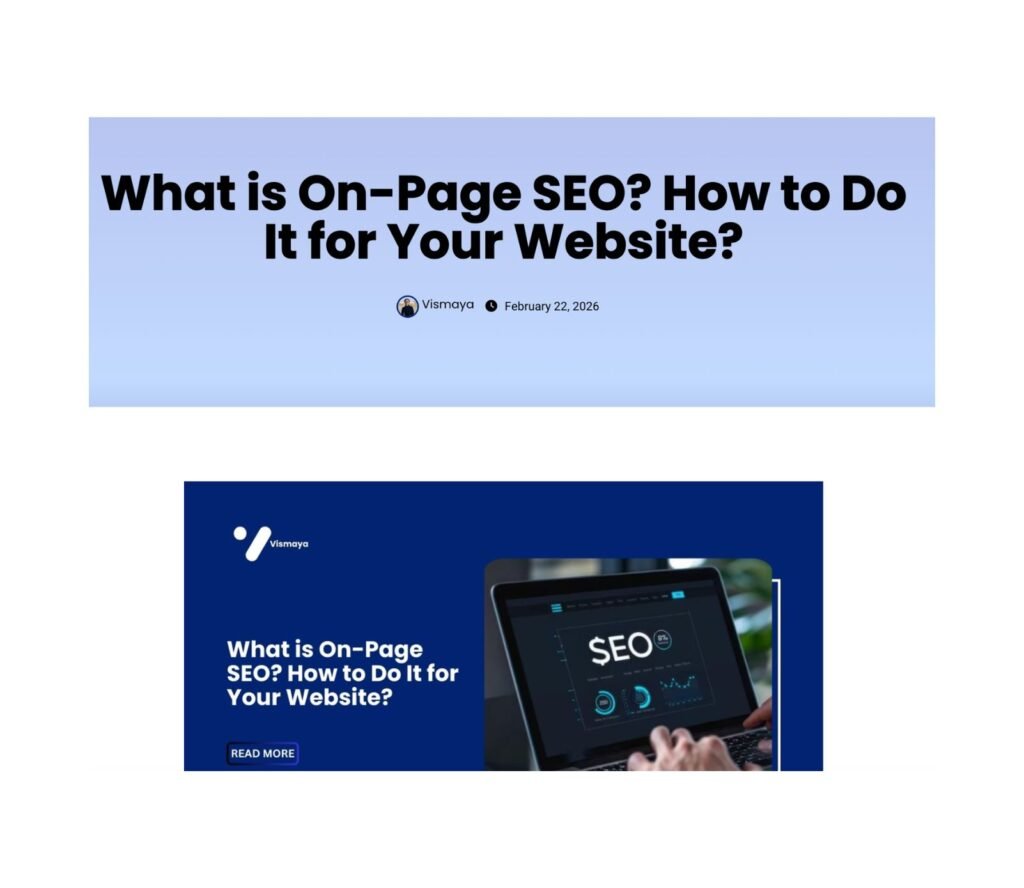
Good: What Is On-Page SEO? How to Do It for Your Website?
Weak: SEO Guide for Beginners
The first title is more specific, includes the target keyword, and clearly tells readers what they can expect from the article.
Review the Meta Description
The meta description gives users a preview of what they can expect from your page before they click. While it isn’t a direct ranking factor, a well-written meta description can influence whether users choose your page by showing how relevant it is to their search.
Before publishing, I review the meta description to ensure it accurately summarizes the page, includes the target keyword where appropriate, and stays within the recommended length of approximately 150–160 characters. This helps prevent the description from being cut off in search results.
For example, one of my blog posts uses the following meta description:
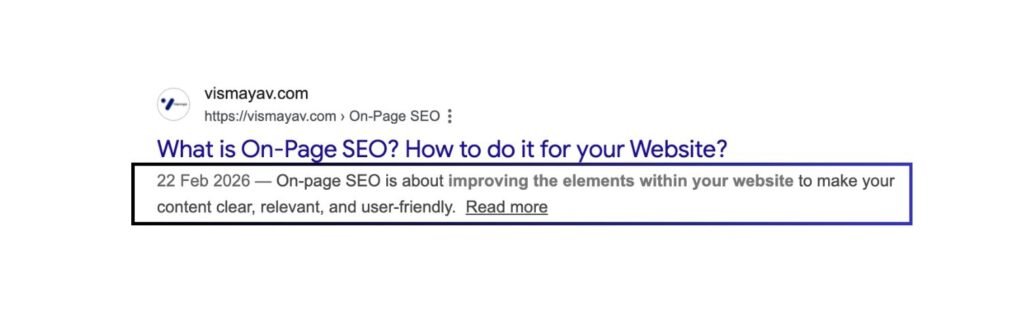
On-page SEO is about improving the elements within your website to make your content clear, relevant, and user-friendly.
Good: On-page SEO is about improving the elements within your website to make your content clear, relevant, and user-friendly.
Weak: Learn about SEO and improve your rankings today.
The first example clearly explains what the article covers, while the second is vague and doesn’t provide enough context for either users or search engines.
Optimize for Click-Through Rate (CTR)
A title can be optimized for SEO and still fail to attract clicks. That’s why I review every title from a searcher’s perspective. Does it answer a question, solve a problem, or create enough curiosity to earn a click?
For example:
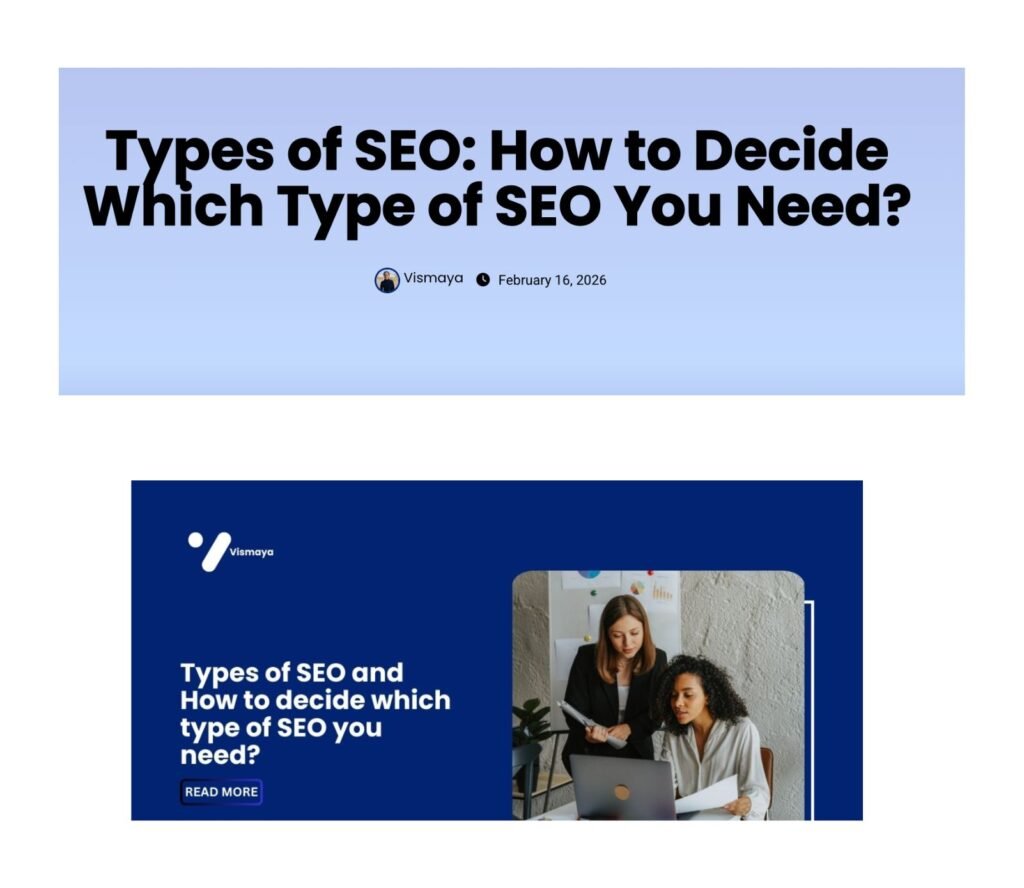
Less compelling: Types of SEO
More compelling: Types of SEO: How to Decide Which Type of SEO You Need?
The second title goes beyond simply stating the topic. It addresses a specific problem readers may have and clearly communicates the value they’ll gain from the article. By making the benefit more obvious, the title becomes more appealing in search results and can improve click-through rates.
URL Optimization
A URL may seem like a small detail, but it plays an important role in both user experience and SEO. Before publishing a blog post, I always review the URL to ensure it’s clear, descriptive, and easy for visitors to understand and for search engines to evaluate. A well-optimized URL provides context about the page’s topic and can improve the overall usability of your content.
Use a Clean URL Structure
A well-structured URL should be clear and readable, giving users a clear idea of what the page is about. I avoid unnecessary words, dates, parameters, and complicated URL structures that can make links difficult to understand.
For example:
Good: https://vismayav.com/types-of-seo/
Weak: https://vismayav.com/blog/post-123-seo-guide-2026/
The first URL is simple, descriptive, and immediately tells users what the page is about.
Include Your Target Keyword
Including the primary keyword in the URL is a simple way to reinforce the topic of your page. While URLs aren’t as influential as content or title tags, they still provide search engines with an additional signal about what the page covers.
For example:
Good: https://vismayav.com/what-is-seo/
Weak: https://vismayav.com/seo-article-1/
In the first example, the URL includes the target keyword phrase “what is SEO,” which directly matches a common search query. This creates a stronger connection between the URL and the content’s topic. The second example contains the word “SEO” but doesn’t clearly indicate what aspect of SEO the page covers.
When reviewing URLs before publishing, I try to include the primary keyword naturally while keeping the URL concise and readable. This helps reinforce topical relevance without making the URL look forced or over-optimized.
Keep URLs Short and Descriptive
Shorter URLs are generally easier to read, remember, and share. I remove unnecessary words and keep the URL concise while still describing the page’s topic.
For example:
Good: https://vismayav.com/types-of-seo/
Less effective: https://vismayav.com/types-of-seo-and-everything-you-need-to-know-about-them/
The shorter URL communicates the topic clearly without adding unnecessary words, making it more user-friendly and easier to understand at a glance.
Heading Structure
A well-structured heading hierarchy makes your content easier to read, navigate, and understand. Before publishing any blog, I review the heading structure to ensure it follows a logical flow and provides a clearer context for both readers and search engines on how the content is organized.
Optimize Your H1 Tag
The H1 is the primary heading on the page and should accurately reflect the content’s subject. Every blog should have only one H1, and it should naturally include the primary keyword whenever possible.
For example, if your target keyword is “on-page SEO checklist,” a strong H1 could be:
Good: On-Page SEO Checklist: What I Check Before Publishing Any Blog
Weak: Blog Publishing Guide
The H1 sets the direction for the entire page. Using a specific, keyword-focused heading helps establish the topic from the start and ensures the content aligns with what users are searching for.
Use a Clear H1 and Logical Heading Hierarchy
Every blog should have a single H1 that defines the main topic of the page. From there, H2 and H3 headings should structure the content into sections and subsections, creating a more organized reading experience.
For example, here’s the heading structure I used in my article, “What Is On-Page SEO? How to Do It for Your Website?”
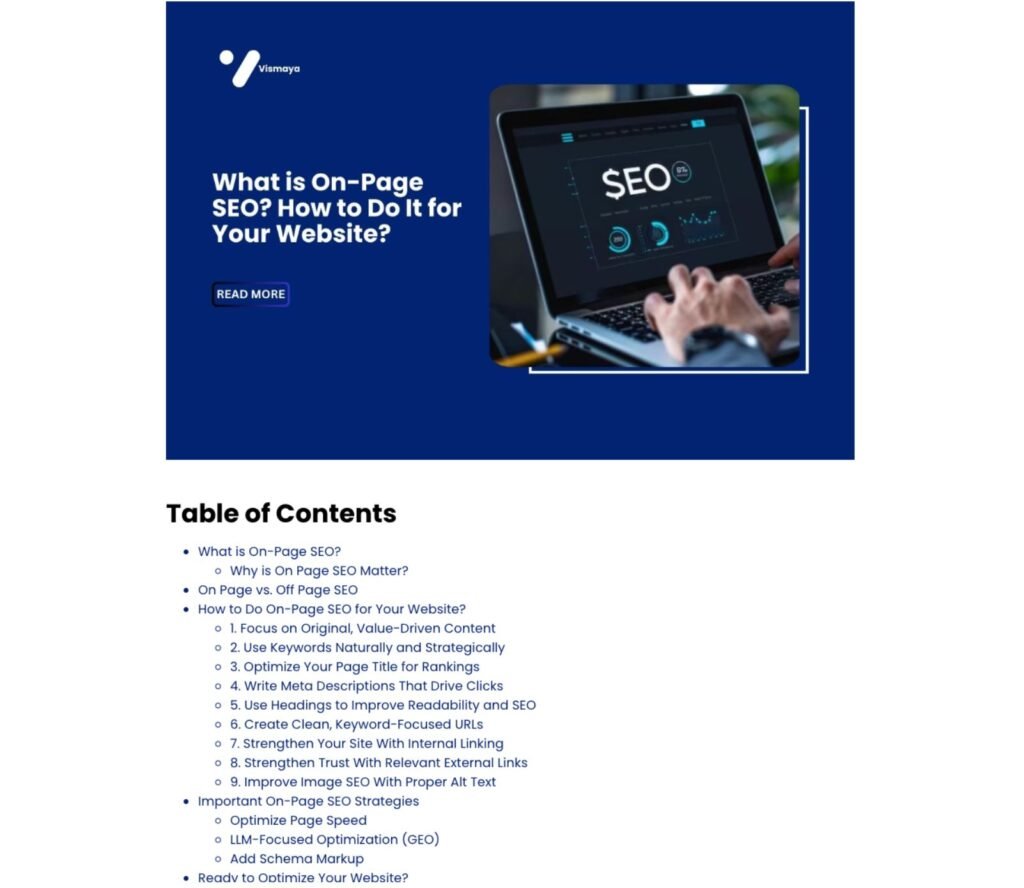
As shown above, the article starts with a broad topic, then breaks it down into related sections and actionable subtopics. This creates a logical flow that guides readers through the content while making the page easier to scan and understand.
Before publishing, I review my heading structure to ensure:
- There is only one H1 on the page.
- H2 headings are used for major sections.
- H3 headings support and expand on H2 topics.
- The hierarchy flows logically without skipping heading levels.
This approach helps improve readability and ensures the content is organized in a way that both users and search engines can easily follow.
Use Keywords Naturally in Headings
Headings help search engines and readers understand what each section of your content is about. That’s why I review my headings before publishing to ensure they support the page’s primary topic and accurately describe the information within each section.
Example:
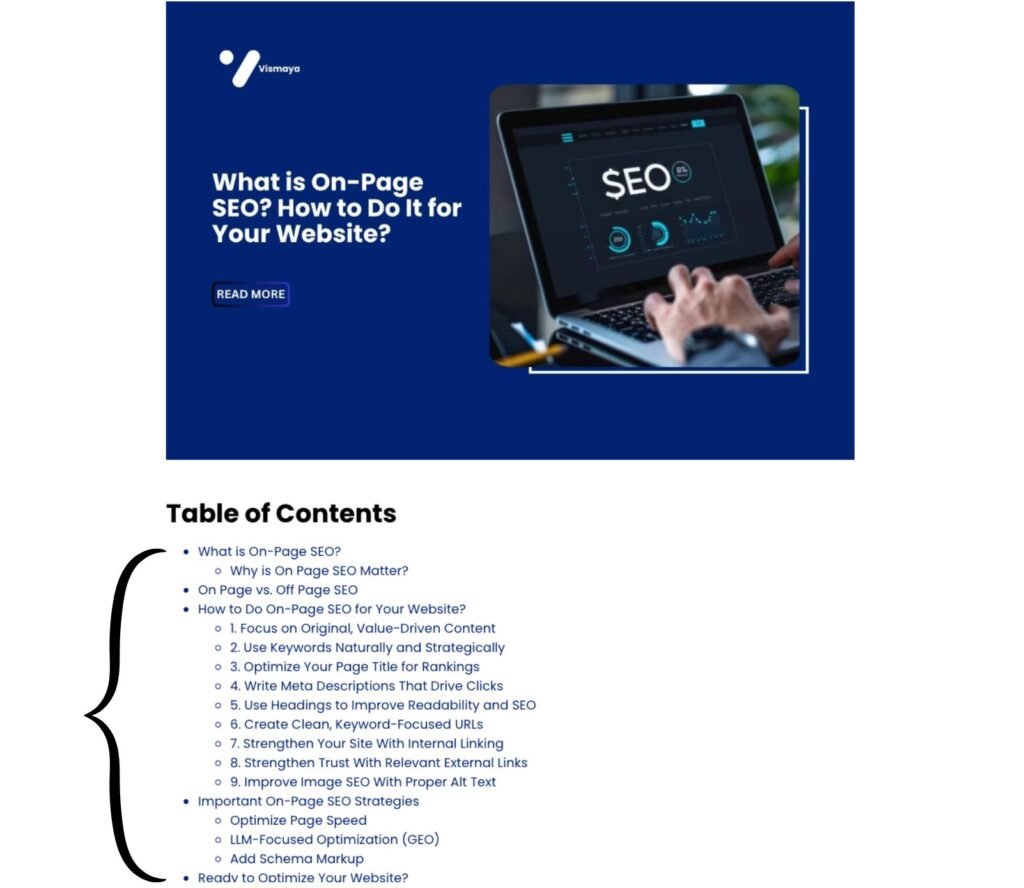
In this example, the article targets “on-page SEO,” but instead of repeating the exact keyword in every heading, it uses related topics and variations such as “What Is On-Page SEO?”, “Why Is On-Page SEO Important?”, and “How to Do On-Page SEO for Your Website?”. This helps cover the topic more comprehensively while keeping the headings natural and useful.
Before publishing, I check whether my headings reflect the language users are likely to search for and whether they contribute to the overall topic of the page. The goal is to create descriptive headings that improve topical relevance without making the content feel repetitive or over-optimized.
Content Quality and Readability
You can optimize every SEO element on a page, but if the content doesn’t provide value to readers, it won’t perform as well as it could. Before publishing, I review the content to ensure it covers the topic thoroughly, is easy to read, and delivers a smooth user experience from start to finish.
Ensure Comprehensive Topic Coverage
Before publishing any blog, I review whether the content covers the topic thoroughly. Readers shouldn’t leave the page with unanswered questions or need to visit multiple articles to understand the basics of the subject.
Example:
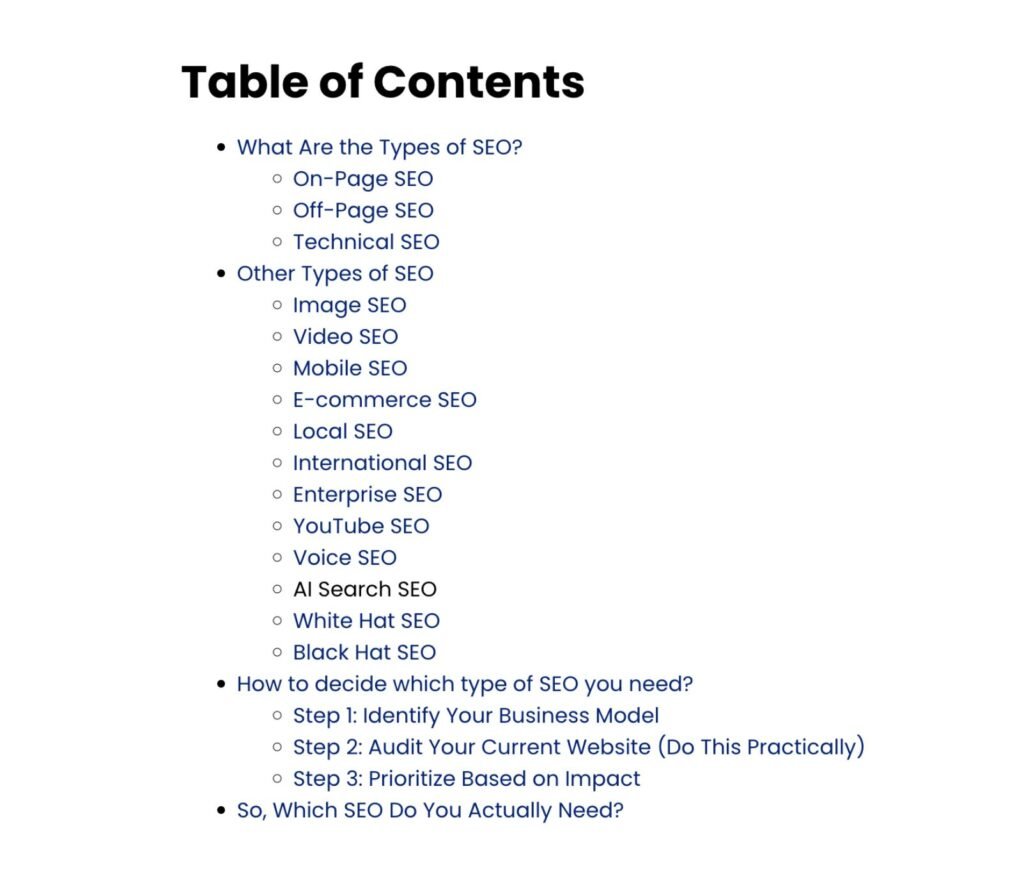
In this article about types of SEO, I didn’t just explain the three core types of SEO. I also covered related topics, including Image SEO, Video SEO, Mobile SEO, Local SEO, AI Search SEO, Voice SEO, and other specialized SEO areas. The article then goes a step further by helping readers determine which type of SEO is most relevant to their business.
This approach creates a more comprehensive resource that addresses multiple related questions within a single piece of content. Before publishing, I always ask myself:
- Have I answered the main question completely?
- Have I covered the important subtopics readers expect to see?
- Are there related questions that should be addressed in the same article?
Comprehensive content not only improves the user experience but also helps demonstrate topical authority by covering a subject in greater depth.
Improve Readability
Most users don’t read every word of an article; they scan. That’s why readability is a key part of my pre-publish review.
Before publishing, I look for:
- Long paragraphs that can be shortened
- Complex sentences that can be simplified
- Unnecessary jargon or filler content
- Opportunities to improve the flow between sections
The easier the content is to consume, the more likely readers are to stay engaged and continue reading.
Format Content for Better User Experience
Formatting plays a major role in how readers interact with content. Large walls of text can feel overwhelming, even when the information is valuable.
To improve readability, I use:
- Clear headings and subheadings
- Bullet points and numbered lists
- Tables where appropriate
- Images, screenshots, and examples
- Adequate spacing between sections
These formatting elements make content easier to scan and help readers find information more quickly.
Check Grammar and Spelling
Even small writing mistakes can affect the credibility of your content. Before publishing, I perform a final review to catch grammar issues, spelling errors, broken sentences, and formatting inconsistencies.
I often use tools such as Grammarly or manually proofread the article to ensure the content is polished and professional. A few extra minutes spent editing can yield a more polished final version.
Internal and External Linking
Links help connect your content to other relevant resources, making it easier for both readers and search engines to understand how it is connected. Before publishing a blog post, I review every link to ensure it adds value, supports the topic, and enhances the user experience.
Add Relevant Internal Links
Internal links help users discover related content on your website while helping search engines understand the relationship between different pages.
For example, if I’m publishing a blog about an on-page SEO checklist, I can naturally link to related articles such as:
- What Is On-Page SEO? How to Do It for Your Website?
- Types of SEO: How to Decide Which Type of SEO You Need?
As my content library grows, manually finding internal linking opportunities becomes more difficult. To streamline the process, I use tools like Link Whisper to identify relevant internal link opportunities based on page content. This makes it easier to build a stronger internal linking structure without overlooking valuable connections between articles.
Include Credible External References
Not every piece of information should come from your own website. When referencing statistics, studies, industry research, or best practices, I include links to reputable sources to reinforce the information shared and offer readers further context.
For example, if I’m discussing ranking factors, Core Web Vitals, or structured data, I may reference resources from Google or other trusted industry publications. Linking to authoritative sources can strengthen credibility and improve the overall trustworthiness of the content.
Optimize Anchor Text
Anchor text refers to the text that users click within a hyperlink. Before publishing, I review my anchor text to ensure it clearly describes the page being linked to.
For example:
Good: Learn more about on-page SEO best practices.
Less Effective: Click here
Descriptive anchor text helps readers understand what they’ll find when they click the link. It also gives search engines better insight into how linked pages are connected. Rather than using generic phrases, I aim for anchor text that is relevant, natural, and helpful.
Image Optimization
Images can improve the reader experience, but poorly optimized images can impact website performance and limit SEO benefits. Before publishing a blog post, I review every image to ensure it enhances both the user experience and the page’s search performance.
Add Meaningful Alt Text
Alt text should describe what is actually shown in the image rather than simply repeating a target keyword. This helps search engines understand the image while making image content more accessible to users who use screen readers.
Example:
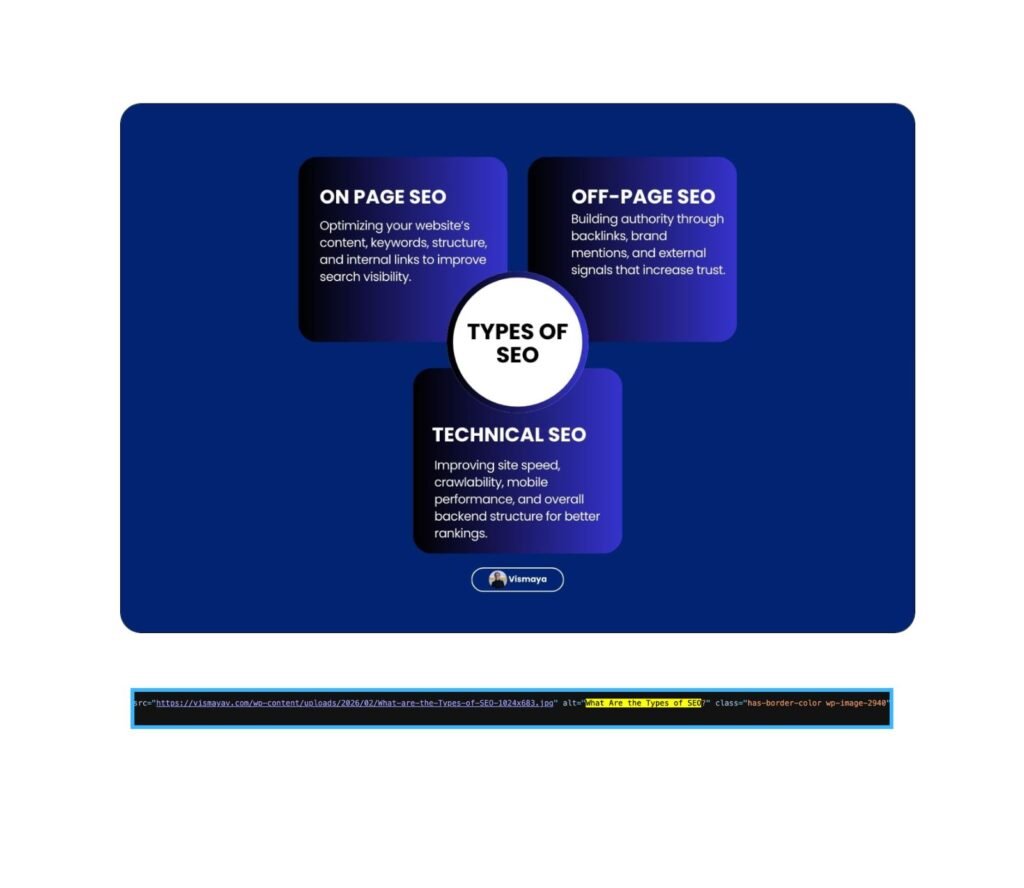
Alt text: What are the types of SEO.
This alt text provides a concise description of the image and adds additional context for search engines. More importantly, it helps users who cannot view the image understand what it represents.
Good: What are the Types of SEO
Weak: SEO infographic
The goal is to describe the image naturally and accurately rather than using vague descriptions or stuffing keywords into the alt text.
Use Descriptive File Names
Image optimization starts before an image is uploaded. Instead of using generic file names generated by a camera or design tool, I rename images so they clearly describe their content.
Example:
Good: what-are-the-types-of-seo.jpg
Weak: IMG_4938.jpg
A descriptive file name gives search engines additional context about the image and makes media files easier to organize and manage. Before publishing, I always review image file names to ensure they’re relevant, readable, and aligned with the page topic.
Compress Images Before Uploading
Large image files can slow your website’s load time, negatively affecting page speed and user experience. Before publishing a blog, I compress images to reduce their file size without noticeably affecting quality.
For example, an image that is 2 MB can often be compressed to 200–500 KB while maintaining a similar appearance. This helps pages load faster, especially on mobile devices and slower internet connections.
To compress images, I typically use tools such as TinyPNG, ShortPixel, or built-in image optimization plugins. A few seconds spent compressing images can have a meaningful impact on page performance.
Choose the Right Image Format
Selecting the right image format is just as important as compressing it. Different formats serve different purposes, and using the wrong one can result in larger file sizes than necessary.
Before publishing, I generally follow these guidelines:
- WebP: My preferred format for most website images because it provides excellent quality with smaller file sizes.
- PNG: Best for screenshots, graphics, and images that require transparency.
- JPEG/JPG: Suitable for photographs and complex images with many colors.
- SVG: Ideal for logos, icons, and vector graphics that need to remain sharp at any size.
For example, most of the infographic images on my blog can be converted to WebP to reduce file size while maintaining visual quality. Choosing the appropriate format helps improve page speed and ensures images display correctly across devices.
Structured Data and Schema Markup
Schema markup is one of the final SEO checks I perform before publishing a blog. While users don’t see schema on the page, it gives search engines clearer information about your content and can influence how your page is displayed in search results. Depending on the type of content, schema can also increase your chances of earning rich results, featured snippets, and enhanced search listings.
Add Article Schema
For blog posts, the Article schema helps search engines identify important information about the content, such as the headline, author, publication date, and featured image.
Before publishing, I verify that the Article schema is implemented correctly so search engines can better understand the page and its context. Most SEO plugins, such as Rank Math, automatically generate Article schema for blog posts.
Use FAQ Schema When Relevant
If a blog contains a dedicated FAQ section, I check whether the FAQ schema can be applied to help search engines understand the questions and answers on the page.
For example, my “What Is SEO?” article includes questions such as:
- What is SEO optimization?
- Should you hire an SEO agency?
- Where can I learn more about SEO?
- How long does it take for SEO to work?
- How do I rank faster on Google?
Because these questions are structured in a clear question-and-answer format, they are well-suited for the FAQ schema. Adding the FAQ schema helps provide additional context about the content and gives search engines clearer context about the information on the page.
Before publishing, I review whether the FAQ section contains genuine user questions and whether the answers are clear, accurate, and visible on the page.
Review Other Relevant Schema Types
Article and FAQ schema are common for blog posts, but they’re not the only options. Depending on the content, other schema types may also be relevant.
Some examples include:
- Breadcrumb Schema: Helps search engines understand your site’s structure.
- HowTo Schema: Useful for step-by-step guides and tutorials.
- Organization Schema: Provides information about your brand or business.
- Author Schema: Helps reinforce content ownership and authorship signals.
Before publishing, I review the page to determine whether additional schema types can provide more context and improve how search engines understand the content.
To validate schema implementation, I also run the page through tools such as Google’s Rich Results Test and Schema Markup Validator to identify errors before the content goes live.
Featured Snippet and AI Search Optimization
Search results are evolving beyond traditional blue links. Today, content can appear in featured snippets, AI Overviews, People Also Ask results, and AI-powered search experiences. Before publishing, I review my content to ensure it’s structured so key information is easy for both search engines and AI systems to understand and surface.
Provide Direct Answers to Key Questions
Featured snippets and AI-generated answers often prioritize content that provides clear, direct responses to user queries.
For example, if someone searches “What is on-page SEO?”, the answer should appear immediately below the heading rather than being buried beneath several paragraphs of introduction.
Good:
On-page SEO involves optimizing elements within a webpage, such as content, headings, images, and metadata, to improve search visibility and user experience.
This makes it easier for search engines and AI systems to extract and present your content as an answer.
Use Question-Based Headings
Many searches are phrased as questions, which is why I often include question-based headings when they’re relevant to the topic.
For example:
- What Is SEO?
- What Is On-Page SEO?
- How Do I Optimize a Blog for AI Overviews?
- How Long Does SEO Take to Work?
Question-based headings align naturally with how users search and help search engines connect your content with specific queries.
Use Lists and Tables Where Appropriate
Search engines and AI systems often prefer content presented in a structured format. Lists and tables make complex topics easier to understand, improve readability, and help users quickly find the information they’re looking for.
Example:
In this article, I used a comparison table to highlight the differences between on-page and off-page SEO across several factors, including their definitions, primary goals, levels of control, core elements, and focus. Presenting the information in a table makes the comparison easier to scan and understand than explaining each difference in multiple paragraphs.
Before publishing, I look for opportunities to use:
- Comparison tables
- Numbered steps
- Bullet point lists
- Checklists
- Feature breakdowns
These formatting elements improve the user experience and make important information easier for search engines and AI-powered search systems to interpret and surface.
Format Content for AI Search
AI-powered search systems prefer content that is easy to interpret, summarize, and cite. Before publishing, I review my content to ensure key information is organized with clear headings, concise explanations, bullet points, and tables where appropriate.
The easier your content is to extract and understand, the better its chances of appearing in AI-generated answers and other modern search experiences.
E-E-A-T Signals
E-E-A-T (Experience, Expertise, Authoritativeness, and Trustworthiness) helps search engines assess the quality and credibility of content. Before publishing a blog, I review whether the content demonstrates real experience, provides accurate information, and gives readers enough reasons to trust what’s being shared.
Author information: Readers should be able to identify who created the content and why they’re qualified to discuss the topic. I make sure every article is connected to a clear author profile that reflects relevant experience and expertise.
Expertise demonstration: Rather than relying solely on generic information, I incorporate real examples, screenshots, workflows, and insights from my own experience. This helps demonstrate practical knowledge and makes the content more valuable to readers.
Credible sources: When referencing statistics, research, or industry best practices, I link to reputable sources to support my claims. Using trustworthy references helps strengthen the accuracy and credibility of the content.
Content trustworthiness: Before publishing, I review the article for factual accuracy, unsupported claims, broken links, and outdated information. The goal is to ensure the content is helpful, transparent, and reliable for anyone who reads it.
Mobile Experience and Page Speed
Mobile usability and page speed can directly impact both user experience and search performance. Before publishing, I review the page to ensure it performs well across mobile devices, loads without delays, and delivers a smooth browsing experience.
Mobile responsiveness: I check that the content displays correctly across different screen sizes and that elements such as images, buttons, and tables are easy to use on mobile devices.
Core Web Vitals: I review key performance metrics related to loading speed, visual stability, and responsiveness to identify any issues that could affect the user experience.
Loading performance: I optimize images, remove unnecessary elements, and test page speed to ensure the content loads efficiently. Tools like Google PageSpeed Insights can help identify performance improvements before the page goes live.
Technical SEO Checks
Before publishing, I perform a few final technical SEO checks to ensure search engines can properly crawl, index, and understand the page. These small checks can help prevent issues that affect visibility and performance.
Canonical tags: I verify that the page has a self-referencing canonical tag to help search engines identify the preferred version of the URL and avoid duplicate content issues.
Indexability: I check that the page isn’t accidentally set to noindex and is available for search engines to crawl and index.
HTTPS: I ensure the page loads securely over HTTPS. A secure connection is essential for user trust and is a standard requirement for modern websites.
Open Graph tags: I review them to ensure the correct title, description, and featured image appear when the page is shared across social networks.
Taking a few minutes to review these technical elements before publishing can help ensure your content is accessible, shareable, and ready to perform in search results.
Final Pre-Publish Review
Before publishing, I do a final review to make sure everything is working as intended and the content is ready to go live.
Link testing: I check all internal and external links to ensure they point to the correct pages and don’t return errors.
Content preview: I review the page layout, formatting, images, and spacing to make sure the content displays properly.
CTA review: Every blog should include a clear next step for readers. Before publishing, I review my calls to action to ensure they are relevant, visible, and aligned with the content’s purpose.
Overall quality check: Finally, I scan the entire article for any last-minute errors, inconsistencies, or improvements before hitting publish.
A quick final review can help catch small issues before they negatively influence the user experience or search performance.
How to Use This On-Page SEO Checklist Effectively
An on-page SEO checklist is only valuable if you use it consistently. Rather than treating SEO as a final task after writing, make this checklist part of your publishing workflow.
I recommend reviewing each section before publishing, from keyword optimization and content quality to technical SEO and page performance. This helps ensure that important elements aren’t overlooked and that every blog follows the same optimization standards.
Over time, using a consistent checklist can streamline your content process, reduce avoidable SEO mistakes, and result in more refined and effective blog posts. The goal isn’t perfection; it’s making sure every piece of content is given the best possible chance to perform in search results.
Conclusion
Great content deserves more than a quick click on Publish. Taking a few extra minutes to review your on-page SEO checklist can help you catch missed opportunities, avoid common mistakes, and improve your blog’s chances of ranking.
Remember, SEO success comes from consistently getting the small details right. So before your next blog goes live, give it one final review; it could make all the difference.
And if you need help creating SEO-friendly blog content that’s built for both readers and search engines, feel free to explore my blog writing services.
FAQs
What is an on-page SEO checklist?
An on-page SEO checklist consists of tasks you review before publishing a blog to ensure it’s optimized for search engines and users. It typically includes checks for keywords, headings, meta tags, links, images, and technical SEO elements.
What are the most important on-page SEO factors to check before publishing?
The most important factors include keyword optimization, search intent alignment, title tags, meta descriptions, heading structure, content quality, internal links, image optimization, page speed, and technical SEO checks such as indexability and canonical tags.
How do I optimize a blog for AI Overviews and AI search?
To optimize for AI search, provide direct answers to key questions, use clear headings, cover related subtopics, and structure content with lists and tables where appropriate. Well-organized, helpful content is more likely to be understood and surfaced by AI-powered search systems.